

Screens and flows
A login that leads to a loading screen and then the main screen: the frames of your app become one project.
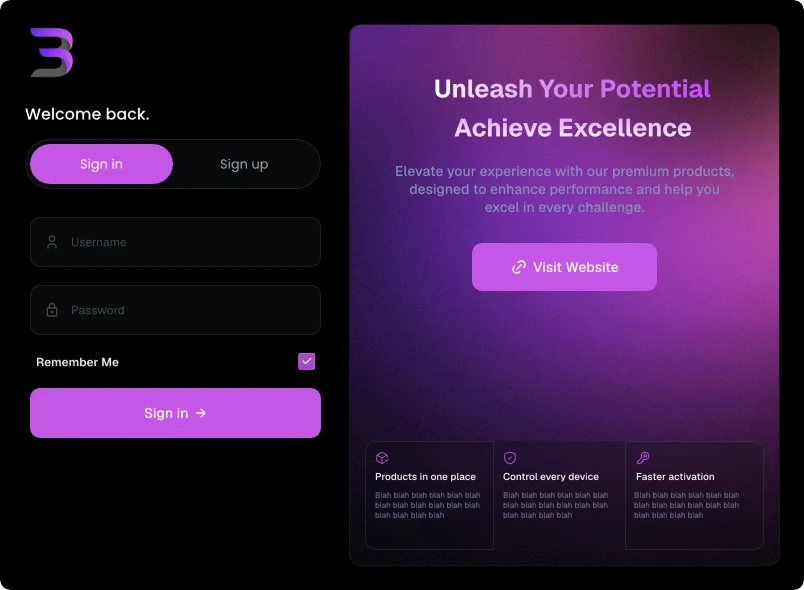
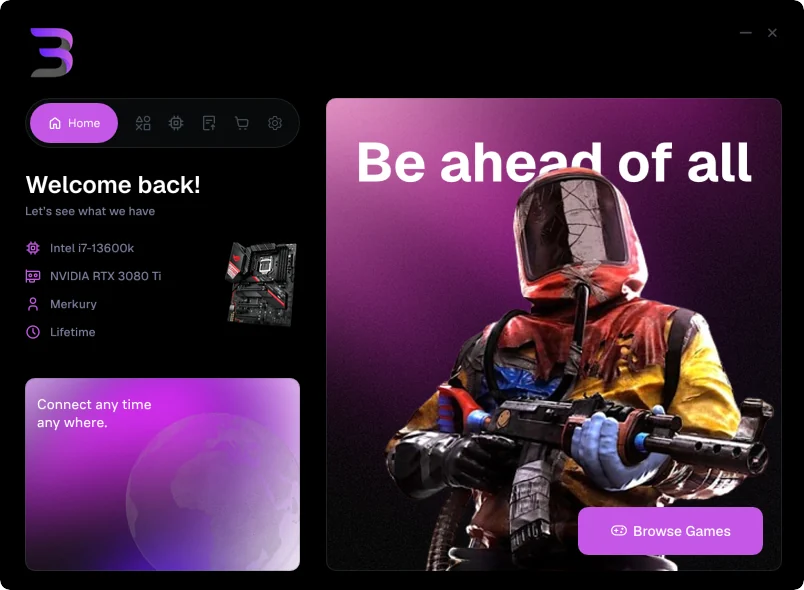
Design each screen of your app as its own top-level frame on one page. Convert the first one (the login, say), and Lazy UIs finds the others, links them the way you'd expect, and cross-fades between them in the compiled app.
How buttons are linked
A screen with nothing to press that says it's busy (Loading…, Injecting…) moves on by itself after a moment: to the screen its name continues (Injecting to Injected), or to the main screen. When two buttons share a label, like a Sign in tab above a Sign in button, the lower one acts.
Dialogs become popups
A frame that repeats a screen with a dialog on top (or holds nothing but a centered dialog) becomes a popup over that screen. It opens from the button whose label best matches the dialog's title: Activate Serial opens Activate License, Add product opens Create product. Its Cancel button closes it.
Check and change the flow
In Configure, the Screens card lists every frame that can join the flow: which are screens, which are popups, and where each button leads. Switch screens on or off, or send any button somewhere else.
Tag a button yourself
When a label doesn't say where it goes, name the button's layer (or the frame holding it) go: Main to send it to the Main frame, or back to return. The plugin's Screens tab does this for you.
- Login
- go: Main
- Register button
- Register
- back
- Main
Screens of different sizes
A small login can open a larger main window. Frames of the same size always join a flow; frames on the same page can also be up to twice as large or small. Each screen keeps its own background, corners, and clipping, and in a Loader the window takes the size of the screen showing: it grows as the next screen fades in, keeping its top-left corner where it was.
In your code
screen.current holds the screen showing, and each screen has a name like screen_main. Move between them from your own code with lazyui::go_to_screen( screen, screen_main ) or lazyui::go_back( screen ); see The C++ project.