

Introduction
Lazy UIs turns Figma frames into a Dear ImGui project that looks like the design and behaves like a real app.
Upload a .fig file, pick a frame, and download a Loader or Menu project. Controls in the design react, logins lead to the main screen, tabs switch pages, and popups open, while the first frame matches the design pixel for pixel.
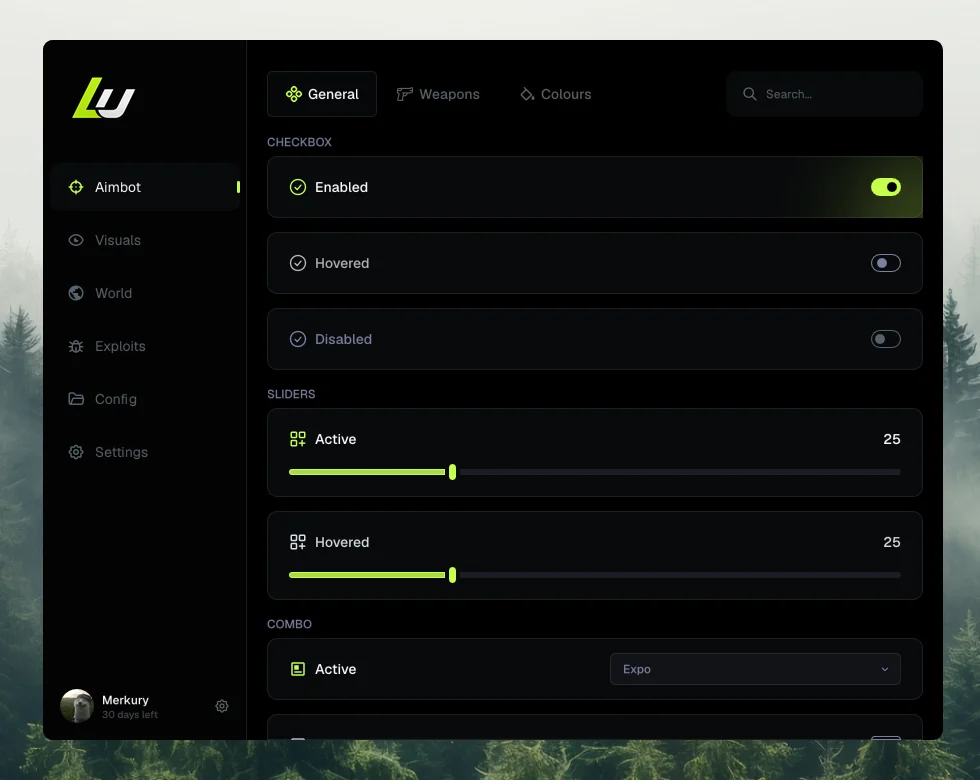
Most designs need no setup: controls are recognized by how they look, not by their layer names, and the frames your buttons lead to become the screens of one app. A few things take a hint, which the Figma plugin adds for you:
- Screens. Login, loading, and main frames linked by their buttons. How screens work
- Popups. A dialog and the button that opens it. How popups work
- Notifications. A toast your code shows with
notify( ). How notifications work - Pages. One frame per navigation item of a menu. How pages work
- Window buttons. Your own close and minimize marks. Window buttons
- Static layers. Anything that looks like a control but should stay a picture. Keeping a layer static
Where your files go
Your .fig is uploaded to Lazy UIs and converted on our servers; no Figma account connection or API key is needed. Uploads and the projects made from them belong to your account and are deleted automatically 2 hours after the upload, so download the ZIP you want to keep. Your account holds your plan and usage.